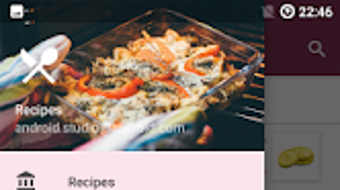

Download Recipe App – recipe app, personal cookbook, recipe book, cooking app, food recipes, recipe manager, recipe organizer, recipe database, Android recipe app, free recipe app
Overview
Recipe App is a lifestyle-oriented Android application designed to help users create and manage their own personal cookbook. Developed by F. Zander, the app falls under the Food & Drink subcategory and is available at no cost. It enables individuals to collect, organize, and store recipes digitally, offering a convenient alternative to physical recipe books. The app is particularly suited for home cooks, culinary enthusiasts, and anyone who enjoys preserving family recipes or experimenting with new dishes. Its core purpose is to provide a structured yet flexible platform for recipe curation, allowing users to maintain a personalized digital collection. The interface is described as simple and intuitive, supporting seamless navigation and data input. While the app currently does not include preloaded recipes, it empowers users to build their own recipe database from scratch. The ability to save a copy of the database ensures data security and continuity, which is valuable for users who rely on their recipe collection for daily meal planning or family traditions. Real-world usage scenarios include saving holiday recipes, organizing meal prep schedules, and maintaining a digital archive of inherited family dishes.Key Features & Capabilities
- Custom Recipe Creation: Users can input detailed recipe information including name, category, difficulty level, preparation time, cost in euros, ingredients, and step-by-step instructions.
- Photo Integration: Each recipe can be associated with a personal photo, enhancing visual recall and aiding in recipe identification.
- Custom Categories: The app allows users to define their own categories, enabling personalized organization beyond standard labels like "desserts" or "main courses."
- Data Backup & Export: A key feature is the ability to create a copy of the entire database, helping users prevent data loss due to device changes or app reinstallation.
- Theme Customization: Users can adjust the color theme in settings to suit their visual preferences, improving long-term usability and personalization.
- Currency Flexibility: The option to choose a custom currency sign allows users to adapt cost tracking to their regional preferences, even though the default is set to euros.
User Interface, Workflow & Performance
The user interface of Recipe App is designed with simplicity and clarity in mind. Navigation appears to be linear and consistent, allowing users to access core functions such as adding, viewing, and editing recipes without unnecessary complexity. The workflow for saving a new recipe follows a logical sequence: name input, category selection, difficulty rating, time and cost estimation, followed by ingredient and instruction entry. The inclusion of a photo attachment option enhances the visual aspect of recipe documentation. While the developer did not specify resource usage details, the app’s 12.5 MB size suggests lightweight operation, which typically correlates with efficient memory and CPU handling on Android devices. Performance observations are based on general software behavior patterns, indicating that the app likely runs smoothly on standard Android hardware. Stability is implied by the mention of ongoing updates for error corrections and crash fixes, though specific performance metrics were not provided. The app’s design supports quick access to saved recipes and efficient editing, contributing to a streamlined user experience.Compatibility & System Requirements
Recipe App is designed for Android devices and is compatible with the operating system as of its release date. The software version is 1.0.0, and the installation size is 12.5 MB. The developer did not provide additional system requirements, such as minimum Android version, RAM, or processor specifications. Exact system requirements were not listed, and compatibility information was partially provided. Users should ensure their device supports the latest Android updates to avoid potential issues. The app is intended for use on mobile devices, and no desktop or tablet-specific optimizations were mentioned. It is recommended to verify device compatibility before installation, especially for older Android models.Pros and Cons
Pros
- Free to download and use with no hidden costs.
- Intuitive interface suitable for users of all technical skill levels.
- Supports custom categories and themes for personalized organization.
- Enables data backup via database copying, enhancing reliability.
- Allows photo attachment and cost tracking for detailed recipe documentation.
- Designed for offline use, ideal for kitchen environments without internet access.
Cons
- No preloaded recipes available at launch, requiring users to build the database from scratch.
- Limited to Android platform; no support for iOS or desktop systems.
- Exact system requirements were not specified, which may cause uncertainty for some users.
- Cost tracking is tied to euros by default, though a currency sign can be customized.
- App updates are mentioned as ongoing for error fixes, but no release frequency was provided.
FAQ Section
Is Recipe App available for iOS devices?
Currently, the app is only available for Android. There is no information about iOS compatibility.
Can I use Recipe App without an internet connection?
Yes, the app is designed for offline use. All recipe data is stored locally on the device, making it suitable for kitchen use without internet access.
Is the app safe to download and use?
Recipe App is developed by F. Zander and is available through official Android channels. The app is free and does not require access to sensitive user data beyond standard permissions for storage and photos.
How often are updates released?
Updates are released to correct errors and fix crashes. The frequency of updates was not specified by the developer.
Can I transfer my recipe database to another device?
Yes, the app allows users to create a copy of the database, which can be saved and transferred to another Android device for continued use.







